Applying for a Digital Signature Certificate seems straightforward, but small errors in the application can delay issuance, cause rejection, or result in a certificate that cannot be used on the intended portal. Based on thousands of DSC applications processed, here are the most common mistakes applicants make — and how to avoid them.
Mistake 1: Wrong Type of DSC for the Use Case
This is the most common and costly mistake. Choosing the wrong DSC type means your certificate will not work on the portal you need it for:
- Getting Individual DSC when Organisation DSC is needed: For company e-tenders, you need an Organisation DSC with the company name embedded — not a personal Individual DSC
- Getting Class 3 instead of DGFT DSC: The DGFT portal requires a specific DGFT OID certificate — a standard Class 3 will not register on the DGFT portal
- Getting Organisation DSC for personal income tax: A CA's personal tax audit signing requires an Individual DSC, not an Organisation one
- Fix: Always specify the exact portal and use case when applying — let us recommend the right type
Mistake 2: Name/PAN Mismatch with Target Portal
- The name on your DSC must exactly match the name registered on the target government portal (GST, MCA, Income Tax)
- Common issue: DSC has "RAJESH KUMAR" but income tax PAN shows "RAJESH KUMAR SHARMA" — this will cause a mismatch error
- For Organisation DSC: company name spelling and CIN must match MCA records
- Fix: Check the exact name and PAN/CIN as they appear on the target portal before applying
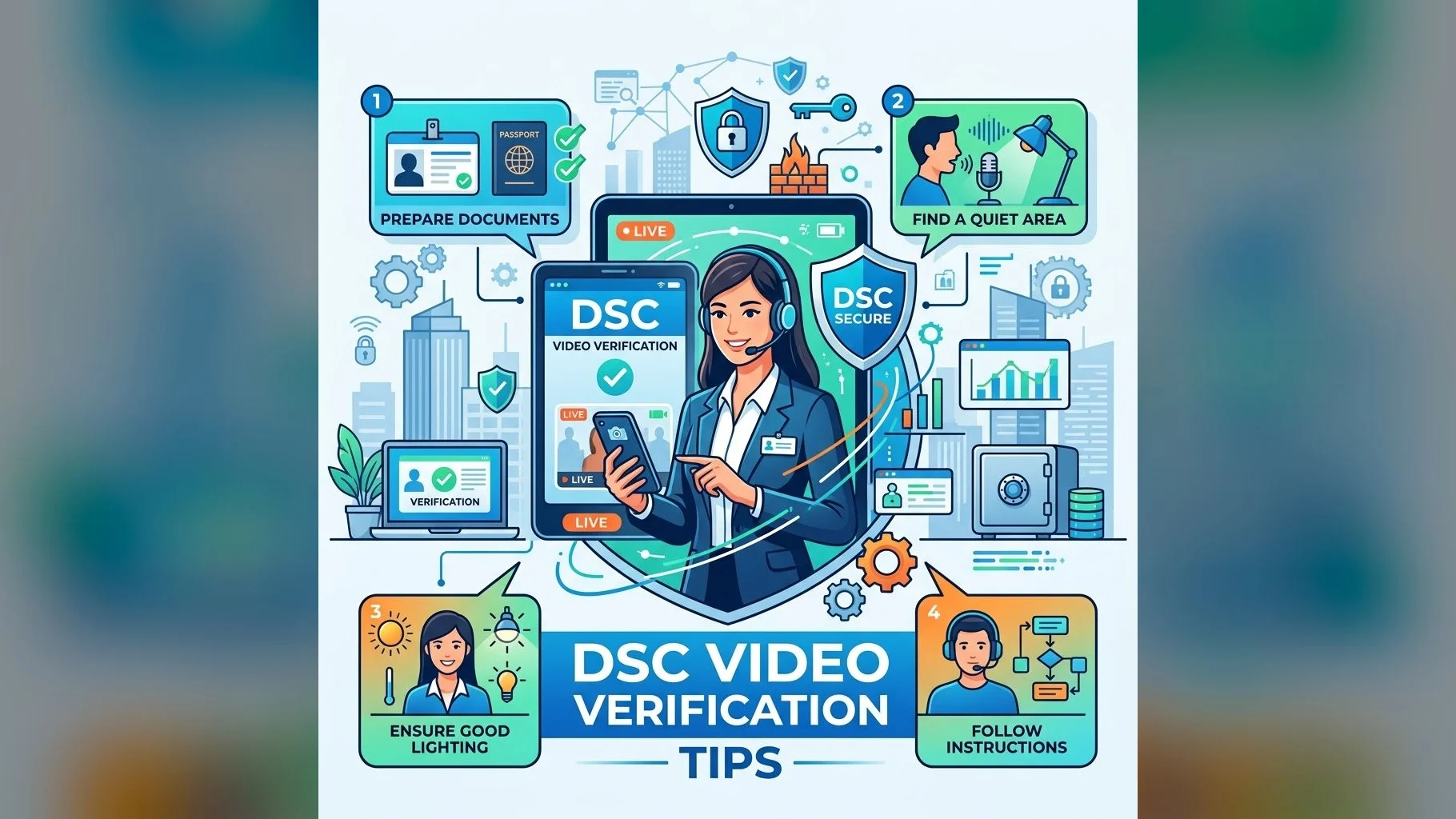
Mistake 3: Poor Video Verification Preparation
- Not having original documents ready — photocopies are not accepted during video verification
- Poor lighting causing identity verification failure
- Background noise preventing the agent from hearing consent statement clearly
- Mobile internet connection dropping mid-call
- Fix: Follow our video verification tips — good lighting, stable WiFi, original documents, quiet environment
Mistake 4: Applying Too Close to Deadline
- DSC issuance takes 24–48 hours after video verification
- Portal registration, driver installation, and testing take additional time
- Technical issues (token driver conflicts, portal errors) may need troubleshooting
- Fix: Apply at least 5–7 days before any filing deadline. For renewals, start 30 days before expiry
Apply for DSC — We Guide You Through
Our team ensures you get the right DSC for your use case, issued correctly the first time.
A little guidance at the start prevents expensive re-applications. At DSC.in.net, we ask the right questions upfront — your intended portals, whether it is for an individual or company, and whether special OIDs like DGFT are required — to ensure your DSC is issued correctly the first time. Contact us before applying if you are unsure.